
win10如何設(shè)置一鍵清理垃圾?win10一鍵清理系統(tǒng)垃圾bat的設(shè)置教?
使用電腦的過程中會產(chǎn)生系統(tǒng)垃圾,如果電腦使用久后,垃圾未清理干凈,會導致電腦運行的越用越慢的問題,其實此問題我們使用bat文件進行一鍵清理系統(tǒng)垃圾,不知win10如何設(shè)置一鍵清理垃圾的用戶,請來看看win10一鍵清理系統(tǒng)垃圾bat的設(shè)置教程吧。
win10如何設(shè)置一鍵清理垃圾
1,右鍵新建記事本文件
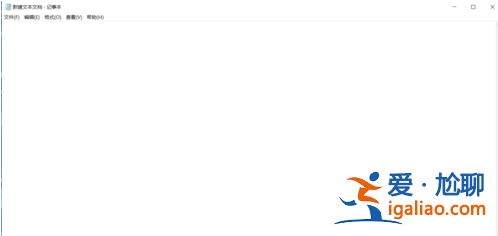
垃圾電腦圖解-1
2,在記事本文件中復制——粘貼下面的代碼:
@echo off -
echo 正在清除系統(tǒng)垃圾文件,請稍等......
del /f /s /q %systemdrive%\*.tmp
del /f /s /q %systemdrive%\*._mp
del /f /s /q %systemdrive%\*.log
del /f /s /q %systemdrive%\*.gid
del /f /s /q %systemdrive%\*.chk
del /f /s /q %systemdrive%\*.old
del /f /s /q %systemdrive%\recycled\*.*
del /f /s /q %windir%\*.bak
del /f /s /q %windir%\prefetch\*.*
rd /s /q %windir%\temp & md %windir%\temp
del /f /q %userprofile%\cookies\*.*
del /f /q %userprofile%\recent\*.*
del /f /s /q "%userprofile%\Local Settings\Temporary Internet Files\*.*"
del /f /s /q "%userprofile%\Local Settings\Temp\*.*"
del /f /s /q "%userprofile%\recent\*.*"
echo 清除系統(tǒng)垃圾完成,請檢查瀏覽器是否已正常打開!
echo. & pause
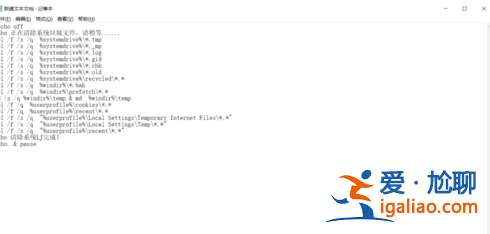
一鍵清理垃圾電腦圖解-2
3,記事本另存為“系統(tǒng)清理.bat”(文件名可自定,文件擴展名必須是.bat),另存為時“保存類型”選擇“所有文件”
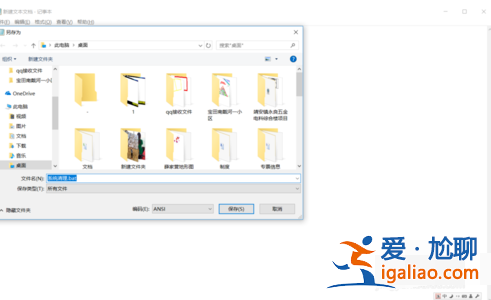
清理電腦圖解-3

一鍵電腦圖解-4
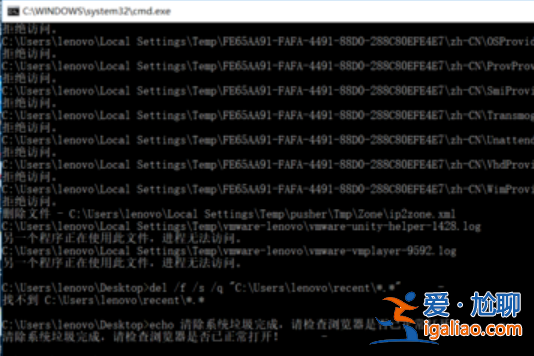
4,雙擊保存的“系統(tǒng)清理.bat”文件即可運行,清理結(jié)束后按任意鍵。
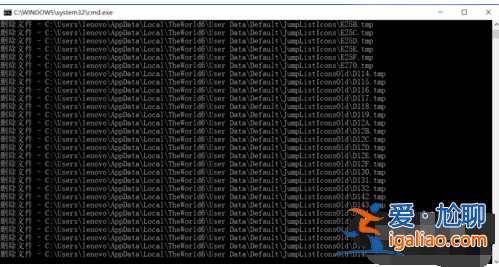
清理電腦圖解-5